Homebase vs Gusto: Pricing, Setup, and Fit
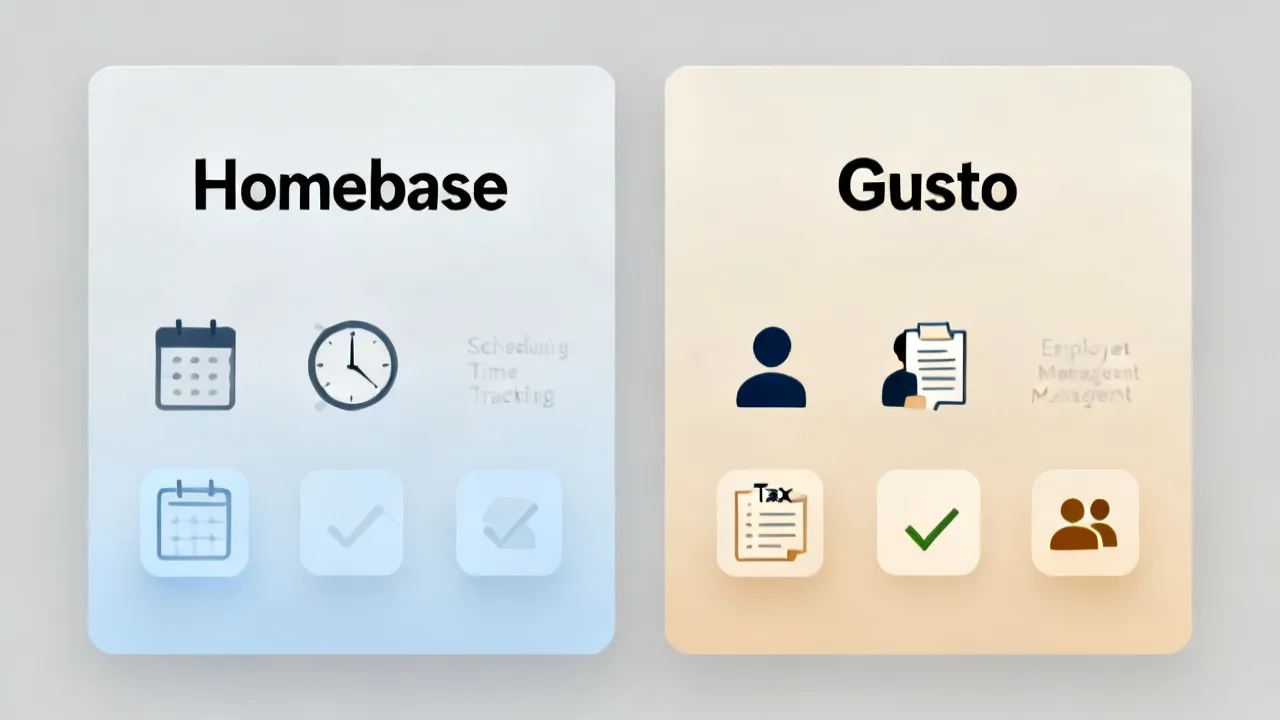
This guide compares Homebase and Gusto for businesses that need reliable payroll and workforce tools. Objectively, Homebase is commonly associated with scheduling and time tracking for hourly teams, while Gusto is known for payroll and HR workflows. The article evaluates setup effort, operational fit, and key conditions for adoption, helping you choose based on your staffing model.
Why the Homebase vs Gusto choice matters for everyday operations
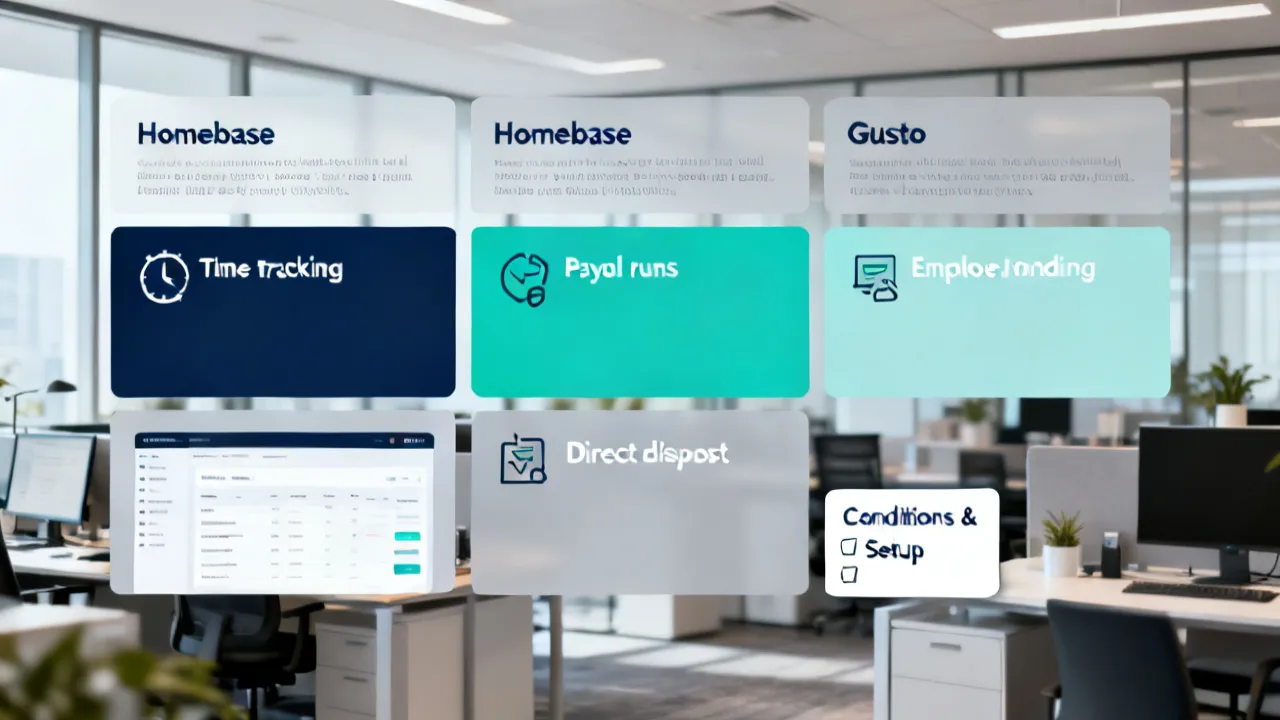
Choosing between Homebase and Gusto is less about finding a “top” product in the abstract and more about aligning payroll, scheduling, and HR workflows with how your team actually works. For many operators, the decision comes down to whether you already have a scheduling/time-tracking foundation that needs payroll support, or whether you need an end-to-end payroll-first system with HR-adjacent features. This guide focuses on practical, objective considerations—how each platform typically fits, what conditions you should plan for, and how to evaluate pricing without surprises.
Executive takeaways (very critical first)
1) Workforce model should drive your selection: If your day-to-day revolves around shifts, attendance, and team scheduling for hourly staff, Homebase is often evaluated first for operational coverage. If your priority is payroll processing with HR workflows and payroll administration, Gusto is often chosen as a payroll backbone.
2) Expect different implementation paths: Homebase-centric workflows tend to prioritize schedules and time capture, then connect downstream to payroll processes. Gusto-centric workflows typically start with payroll setup, then expand into HR management tasks as needed.
3) Validate costs using real inputs: Since published pricing structures can vary by plan, workforce size, and add-ons, you should confirm the current rate details directly during evaluation. Avoid relying on outdated figures or marketing snapshots.
4) Assess compliance and documentation handling: Payroll and HR tools require careful configuration of employee records, pay schedules, and state/local requirements. Ensure the platform you pick can support your jurisdictional needs and internal approvals.
Background: what Homebase and Gusto are commonly used for
Homebase is widely used by businesses that need tools for scheduling and time tracking—especially those managing hourly or shift-based labor. In practice, it often serves as a workforce coordination layer: employees can view schedules, managers can adjust shifts, and time data can be collected for payroll-related processing.
Gusto, by contrast, is generally approached as a payroll and HR platform. Businesses use it to run payroll, manage employee data, and streamline HR tasks such as onboarding, benefits administration where applicable, and other recurring HR operations that tend to sit alongside payroll workflows.
Both products may offer overlapping capabilities depending on your plan and configuration. Still, the typical “starting point” differs: Homebase tends to be assessed for workforce operations (scheduling/time), while Gusto tends to be assessed for payroll administration (processing and HR workflows).
Industry perspective: how operators weigh the Homebase and Gusto trade-offs
From an operator’s viewpoint, the very expensive mistakes in HR/payroll tooling rarely come from the subscription fee itself—they come from implementation misalignment and process friction. For example:
- Data ownership: If your managers rely on one source of truth for schedules and time, but payroll teams rely on another system’s records, reconciliation becomes a recurring workload.
- Approval workflows: Many teams need clear steps for shift changes, time corrections, and payroll approvals. Tools that are flexible but poorly configured can increase admin time.
- Change management: Employee adoption matters. If staff experience confusion about how time is captured or how payroll-related documents are completed, support burden rises quickly.
- Compliance posture: Payroll correctness depends on accurate employee records, correct pay rules, and correct jurisdictional handling. A platform that supports your requirements can reduce operational risk.
Why “everyday operations” is the real comparison
Most vendors highlight features, but day-to-day operations focus on what happens between pay periods: the weekly schedule, the shift swap request, the employee who punches in late, the manager who corrects time after a missed clock-in, and the finance or HR staff member who needs to know, “What changed, and did we approve it?” The Homebase vs Gusto comparison becomes meaningful when you translate software capabilities into operational behavior.
Think of your organization as having two recurring rhythms:
- Weekly rhythm: Scheduling, attendance events, shift coverage, approvals, and time adjustments. This rhythm affects labor costs because it sets the raw inputs for overtime and labor projections.
- Pay-period rhythm: Payroll runs, payroll reporting, tax or statutory computations, and payroll delivery to employees. This rhythm affects cash flow and compliance posture.
The “best” product is the one that best supports the rhythm that causes you the most friction today—or the one that can reduce friction by becoming the system of record for the right data.
Pricing approach: how to evaluate “price” without guessing
You asked for price information, supplier details, and location-specific content where applicable; however, the provided prompt does not include specific dollar amounts or a defined location. In that context, the very objective way to handle pricing is to describe how pricing is typically structured and what you should verify during your review.
In a practical evaluation, confirm:
- Base subscription cost: The plan cost that applies to your workforce size and feature needs.
- Per-employee or per-run components: Some payroll products scale with active employees and may adjust with processing volume.
- Add-ons: Features like advanced HR workflows, additional HR services, or specialized reporting can impact total cost.
- Implementation or migration effort: Even if software pricing is clear, your internal time is a real cost. Factor in configuration, user training, and data migration.
Supplier details (practical meaning): In purchasing terms, “supplier” typically refers to the company providing the software service and related customer support. Here, the suppliers are the organizations behind Homebase and Gusto. During evaluation, you should review what each supplier offers regarding onboarding assistance, support hours, and documentation quality—because these operational services influence real adoption outcomes.
Source for pricing transparency recommendation: For current pricing, the very reliable approach is to consult each vendor’s official pricing page or sales confirmation process. Vendor pricing can change, and third-party “price memory” is often inaccurate over time.
Fit analysis: when Homebase is typically the better starting point
If your business runs primarily on shift work, and your managers already care deeply about schedule accuracy, Homebase may feel more natural as a starting point. It is commonly evaluated by businesses where:
- Shift scheduling is central: Your weekly workflow depends on staff availability, shift swaps, and manager adjustments.
- Time capture must be consistent: Employees and managers need a dependable way to record attendance that flows into payroll administration.
- Operational visibility is needed: Managers want reporting on schedules, coverage gaps, and time-related patterns.
Even when payroll is ultimately handled through integrations or payroll functions, Homebase’s operational focus can reduce day-to-day coordination friction.
It’s also worth clarifying what “better starting point” means. It does not necessarily mean Homebase always produces the final payroll calculations. Rather, it means the platform becomes your first line of operational data capture: the place where schedules are set, where employees confirm their shifts, where attendance is recorded, and where managers document approvals for changes that affect labor totals.
For many shift-based organizations, the biggest risk isn’t “payroll complexity” as much as it is time data inconsistency. If time is captured informally—via text messages, spreadsheets, or manager notes—you can’t reliably compute overtime, you can’t provide defensible labor reporting, and you can’t quickly correct errors when an employee claims, “I worked those extra hours.” Homebase-based scheduling and time capture can reduce that uncertainty by turning those informal processes into structured inputs.
Fit analysis: when Gusto is typically the better starting point
If your core requirement is payroll administration—processing runs, managing employee pay details, and coordinating HR tasks—Gusto is often evaluated as the primary system. Teams commonly gravitate toward Gusto when:
- Payroll is the primary “system of record” need: You want a centralized place for payroll administration and employee pay configuration.
- You require HR workflows alongside payroll: Onboarding and recurring HR processes become part of a single operating model.
- You want to standardize HR operations: The organization benefits from consistent HR documentation and step-by-step processing.
In these scenarios, employees typically experience a clearer path: payroll-related entries and HR steps are coordinated through the payroll-first environment.
Choosing Gusto as the starting point often improves consistency in places that shift-focused tools may not be designed to manage end-to-end. For example, payroll administration usually depends on stable employee profiles—pay rates, pay frequencies, tax documents, and payroll calendars. When those elements are centralized early, time data and scheduling can be integrated later with less risk of “two versions of employee truth.”
For some organizations, the operational pain is less about scheduling chaos and more about payroll correctness and administrative workload. If HR staff or finance teams frequently need to adjust employee information, manage onboarding documents, respond to employee payroll questions, or run recurring payroll tasks across multiple locations, a payroll-first platform can reduce the number of tools involved. Over time, that consolidation can reduce the number of handoffs, cut down on reconciliation steps, and improve audit readiness.
Setup effort: an expert’s step-by-step evaluation mindset
Rather than assuming either platform is “easy,” treat setup as a structured project. Below is a step-by-step guide to evaluate setup effort objectively—using your real employee and pay scenarios.
This mindset matters because “setup effort” is not just software configuration. It includes process mapping, training, and internal role definition:
- Who can make schedule changes?
- Who can approve time corrections?
- How are exceptions handled (late arrival, missed clock-in, training hours, different pay rates for different tasks)?
- How do you communicate changes to employees?
- What happens if an employee disagrees with recorded time?
- What evidence do you need for payroll accuracy and compliance?
If you evaluate only “can the software do it,” you can overlook hidden complexity. If you evaluate “can the software enforce the workflow we need,” you’ll find the right operational fit faster.
Step-by-step guide and conditions/requirements (comparison table)
Before looking at the UI or marketing claims, agree internally on what you’re testing. Use the table below to frame your demo questions and acceptance criteria.
| Evaluation Area | Homebase (typical emphasis) | Gusto (typical emphasis) | Conditions/Requirements to Confirm |
|---|---|---|---|
| Primary workflow | Scheduling and time capture for hourly teams | Payroll administration with HR-adjacent workflows | Confirm your dominant operational workflow (shifts vs payroll runs) and where “source of truth” should live. |
| Employee onboarding | Often focused on workforce setup and schedule participation | Commonly includes payroll and HR onboarding steps | Verify what onboarding tasks are supported end-to-end (identity, pay info, documentation completion). |
| Time & attendance | Scheduling/time reporting as a foundation | May rely on payroll-integrated time rules depending on configuration | Confirm how adjustments and corrections flow into payroll, including approval steps. |
| Payroll configuration | May require connection/processing logic based on your setup | Payroll configuration typically central to the system | Confirm pay frequency, pay types, overtime handling, and any special rules you use. |
| Reporting & reconciliation | Operational reporting for schedules and time patterns | Payroll reporting and HR reporting workflows | Test reconciliation: can you match schedules/time records to payroll results with minimal manual work? |
| Supplier support & documentation | Support resources typically tied to workforce operations | Support resources typically tied to payroll administration and HR operations | Check support channels, response times, and the quality of implementation guides provided by each supplier. |
| Compliance readiness | Compliance depends on how time/pay rules are configured | Compliance depends on payroll setup and HR records accuracy | Confirm jurisdiction handling needs, record retention expectations, and configuration controls. |
Practical setup checklist (use this during demos)
1) Map your real processes first: Write down how a shift changes, how time is recorded, who approves adjustments, and how payroll is finalized.
2) Create a test group of employees: Include a mix of scenarios (new hires, employees with different pay rates, and anyone with time exceptions).
3) Run a dry payroll cycle: Perform a trial run using sample pay rules. Compare output to your existing method to identify gaps early.
4) Confirm correction and auditability: Ensure there’s a clear trail for what changed, who approved it, and when.
5) Measure admin effort: Track how long managers and payroll/admin staff spend configuring and correcting data during the first few cycles.
To make that last item (“measure admin effort”) concrete, don’t just estimate. During demos or implementation planning, ask the vendor or implementer to walk you through a realistic week and a realistic pay cycle. Then time it using a stopwatch or at least a “tasks list” approach.
- During the week: How long does a manager take to adjust a shift? How are employees notified? How is that change reflected in time data?
- After a punch issue: If someone forgets to clock in (or clocks in late), how quickly can you correct it? Who approves? What documentation is captured?
- During payroll prep: How long does it take to validate time and approve corrections? How do you identify exceptions and outliers?
- After payroll runs: How quickly can you answer an employee payroll question (“Why was my rate different?” “Why do I see this deduction?”)?
The goal is to see whether friction shows up in everyday actions, not just in the system’s ability to produce a pay stub.
Localization and operational nuance (how culture affects adoption)
While no specific city or country was provided in your keywords, it’s still important to plan for adoption dynamics that vary by labor culture. For example, in many service-oriented workplaces—where teams communicate informally—employees often rely on quick, verbal confirmations of schedule changes. A scheduling/time system only “works” when your team’s informal communication habits are replaced with a documented workflow.
In the U.S., this frequently means ensuring staff understand where official shift updates appear and how time adjustments are requested and approved. In practice, successful rollouts resemble training plus a change-control approach, not just software configuration.
Here are cultural and operational patterns that can strongly influence whether Homebase or Gusto “feels better” after deployment:
- Manager authority patterns: In some workplaces, managers handle schedule adjustments directly and employees assume managers will “fix it.” In others, employees must request changes formally. The platform that better matches how authority already works will reduce friction.
- Communication style: If your team communicates via texts and quick calls, adoption may require discipline—especially around where official schedules and time entries are visible.
- Employee comfort with self-service: Some employees can easily review schedules and submit time correction requests. Others will require more hands-on assistance. This affects how quickly HR/payroll teams can rely on self-service data.
- Disagreement tolerance: Some organizations actively encourage employees to question time records and adjust quickly. Others try to avoid disputes and handle exceptions quietly. Your tool should support the kind of resolution workflow you prefer, but still maintain an audit trail.
Even if both platforms can technically handle scheduling and payroll, the one that fits your operational culture will typically deliver better “real results.”
Operational examples: translate features into real scenarios
Feature comparisons become much easier when you test the platform with scenarios that mirror how mistakes actually happen. Below are common operational scenarios you can use during evaluation, regardless of your industry.
Scenario A: the “last-minute shift swap”
On a Thursday evening, an employee can’t work a Saturday shift. Another employee is willing to cover. Your manager updates the schedule, and the new employee expects to work. Later, you run payroll and notice time entries don’t line up cleanly.
What to test:
- How quickly can the manager change the schedule?
- Does the platform require explicit acceptance or notification?
- Does time tracking align automatically with the updated shift assignment?
- Is there an audit trail that shows who changed the shift and when?
Why it matters: If shift changes aren’t clearly documented, your payroll team may have to manually reconcile time or use overrides. That creates recurring admin work.
Scenario B: missed clock-in and time correction
An employee forgets to clock in for their shift. They later message the manager: “I was there.” The manager wants to correct the time entry. Someone must approve the correction. The payroll cycle closes soon.
What to test:
- Whether the platform supports time corrections with reasons
- Whether there is a required approval step
- Whether corrections affect overtime calculations correctly
- Whether you can export or review an audit log later
Why it matters: Payroll correctness is built on controlled time adjustments. The platform that makes approvals and documentation easy tends to reduce errors.
Scenario C: different pay rates within the same workforce
Some employees get different pay rates depending on role (e.g., trainer vs regular staff) or based on a task code. In shift-based operations, these differences can happen within the same week.
What to test:
- Whether pay rules can be configured cleanly
- Whether time tracking can distinguish pay categories (if needed)
- Whether payroll output reflects correct rates automatically
- Whether HR can maintain pay rules consistently across employee profiles
Why it matters: If pay rules are hard to configure, you’ll either avoid capturing category data (which reduces accuracy) or you’ll spend extra time on manual adjustments.
Scenario D: new hire onboarding near a pay period
A new employee starts mid-week, right before the first pay period after onboarding. They need access to scheduling and time capture immediately, and their payroll profile must be accurate for that first check.
What to test:
- Whether onboarding creates employee records correctly
- Whether documents are completed in time
- Whether schedules and time capture can start immediately
- Whether payroll admin can handle onboarding tasks without causing delays
Why it matters: Payroll issues often show up in the onboarding window. A payroll-first workflow can reduce this risk if onboarding includes payroll record setup.
Scenario E: employee disputes and “where did my time come from?”
An employee believes their pay stub doesn’t match the hours they worked. They ask HR/ops to explain. The team needs to quickly show what time was recorded, what changes were approved, and what rules were applied.
What to test:
- Whether you can quickly locate time records and approvals
- Whether explanations are clear and accessible
- Whether audit trails are comprehensive and easy to review
- Whether you can generate reports quickly for internal review
Why it matters: Disputes are inevitable in any labor environment. The tool that makes evidence retrieval easy reduces the time spent on each dispute.
How to assess reconciliation and reporting (where costs hide)
Many organizations underestimate “reconciliation costs.” Reconciliation refers to the work of ensuring that schedules and time records align with payroll outputs. This work can be manual, time-consuming, and error-prone when systems are mismatched or poorly configured.
When you evaluate Homebase vs Gusto, pay attention to how the platform supports reconciliation:
- Traceability: Can you trace from a shift assignment to a time record to a payroll outcome?
- Exception handling: Can you quickly identify outliers (e.g., unusually high hours, missing punches, overtime anomalies)?
- Consistency: Do the time capture rules and pay rules operate on the same assumptions?
- Exportability: Can you export reports for internal validation or external audits?
Reconciliation cost is often hidden in “admin time.” Even if subscription pricing seems similar, one platform may require fewer manual checks each pay period. Over 12 months, that difference can dwarf the software cost.
Compliance readiness: the “configuration discipline” test
Payroll and HR tools are only as compliant as their configuration. Compliance readiness is not a checkbox; it’s a capability that depends on how you set up employee records, pay schedules, and jurisdictional settings.
During evaluation, ask not only, “Does the tool support compliance?” but also, “Does it make compliance configuration hard to get wrong?” Consider these practical questions:
- Controls and roles: Can you limit who can change pay rules or approvals?
- Record accuracy: Does the system help ensure employee pay rates and tax settings are correct?
- Audit trails: Are changes logged clearly?
- Document retention: Can you retain required documentation and access it later?
- Pay schedule alignment: Are pay period calendars consistent and configurable?
A payroll-first platform may reduce errors by centralizing payroll configuration. A scheduling-first platform may reduce errors by enforcing consistent time capture and approvals. The practical takeaway is that you should choose the tool that best enforces your compliance-critical workflow.
Supplier support & documentation: how it affects real adoption
The platform’s UI matters, but supplier support often determines whether you succeed quickly. “Support” isn’t only technical troubleshooting; it includes onboarding guidance, documentation clarity, and implementation best practices.
When comparing Homebase and Gusto, evaluate these support factors:
- Onboarding assistance: Do they provide structured onboarding for payroll and HR configuration?
- Response times: If payroll is impacted, how quickly can you get answers?
- Documentation quality: Do guides explain workflows clearly, not just settings?
- Role-based training: Do they help you train managers (scheduling/time) and HR/finance (payroll approvals) appropriately?
- Migration help: If you’re switching from another system, do they support data migration and reduce risk?
Even a well-configured system can fail operationally if training is insufficient. If your managers aren’t trained on shift change rules, scheduling-based tools can produce messy time records. If your HR/payroll admins aren’t trained on pay rule configuration, payroll can come out wrong. Supplier support influences both outcomes.
Implementation paths: what “integration” feels like in practice
Homebase-centric and Gusto-centric paths often lead to different integration feelings. In many organizations, you start with one tool for the core rhythm (weekly scheduling vs pay-period payroll) and then connect the other into the workflow.
To evaluate integration effort, ask these practical questions in demos:
- How is employee data created and synchronized?
- What happens if employee records change after integration?
- How are time adjustments handled so that payroll output stays consistent?
- How do approvals work across tools? Where does the approval “live”?
- What reports can you generate that span both systems?
Even if an integration exists, what matters is how clearly the workflow is defined and enforced. A poorly aligned integration can turn “automation” into “double-check everything.” That’s why evaluating reconciliation and audit trails is so important.
How to validate costs using real inputs (a method that avoids surprises)
Because published pricing can vary and add-ons can change your total cost, it’s easy to accidentally compare apples to oranges. Instead, build a cost worksheet based on your actual usage patterns.
Step 1: Create a baseline workforce profile
- Total active employees
- Employees expected to use scheduling/time features
- Employees who require onboarding workflows
- Any contractors (if relevant) and whether the tool supports your arrangement
Step 2: Map pay frequency and payroll complexity
- Pay frequency (weekly, biweekly, etc.)
- Any special pay types (e.g., tips, bonuses, different base rates)
- Overtime handling rules and any exceptions
- How often you expect manual corrections
Step 3: Identify add-ons and optional services
- HR workflow enhancements
- Benefits-related features (if needed)
- Premium reporting or advanced tools
- Implementation or migration services
Step 4: Assign internal labor costs
- Hours required for configuration
- Time for training managers and HR/admin staff
- Time for data migration and testing
- Time for initial pay cycle reconciliation
This method can reveal the “true cost” difference between Homebase and Gusto in your organization. Sometimes the subscription fee is close, but admin time differs significantly. Other times, the subscription fee differs, but onboarding and support effort is heavier for one option. Either way, your cost model should include both software and operational time.
Localization and jurisdiction: plan for your state/local reality
Payroll compliance is often jurisdiction-specific. Even if you are not focused on a particular location in your keywords, your business must consider where employees are working. For organizations with employees in multiple states, the setup complexity can increase.
During evaluation, confirm:
- Whether payroll can be configured for your jurisdictions
- How the tool handles state-specific requirements for withholding or reporting
- Whether the system supports multiple locations or different pay rules by location
- How updates are handled when compliance requirements change
From an operational standpoint, the risk is not only whether payroll runs correctly once—but whether it remains correct across multiple pay periods and changing employee rosters. The platform that provides strong configuration controls and clear documentation can reduce long-term risk.
Industry-relevant sources and reliability notes
Because pricing and feature details can change, and because payroll/HR workflows are sensitive, the very reliable information typically comes from:
- Vendor documentation and pricing pages (for the very current plan terms and features).
- U.S. Department of Labor guidance for wage and hour concepts (where applicable) to validate overtime and timekeeping assumptions.
- IRS resources for payroll compliance concepts (where applicable) to validate recordkeeping and tax-related workflows.
For example, the U.S. Department of Labor maintains wage and hour information that can help teams frame correct timekeeping and overtime concepts during configuration. You should still use the vendor’s own materials to ensure software behavior matches compliance requirements in your jurisdiction.
FAQs
1) What is the main difference between Homebase and Gusto?
In very evaluations, Homebase is treated as a workforce operations tool—particularly around scheduling and time tracking—while Gusto is treated as a payroll-first platform with HR workflows. The “main difference” is therefore where each product typically starts in your operational workflow.
2) Which one is better for small businesses?
For small teams, the better choice usually depends on what you already have in place. If your biggest pain is shift scheduling and consistent time capture for hourly staff, Homebase may streamline the workflow. If your biggest pain is payroll administration and HR processing, Gusto may reduce complexity by centralizing payroll tasks.
3) How should I compare pricing between Homebase and Gusto objectively?
Confirm pricing using current official information and validate total cost using your real inputs—number of employees, pay frequency, required features, and any add-ons. Also factor implementation time: internal setup effort is a meaningful cost even when subscription pricing is clear.
4) Do Homebase and Gusto integrate well with common business workflows?
They can be part of broader workflows through integrations and configuration options. However, “integration well” depends on your existing stack and your reconciliation needs. During demos, test how schedule/time data maps to payroll results and how corrections are handled.
5) Can I switch from one platform to the other later?
Switching is often possible, but migration effort varies. You should plan for data export, employee record portability, and the ability to run clean handoffs across payroll cycles. Ask each supplier about migration support, data retention, and recommended transition timelines.
6) What requirements should I have ready before implementation?
Typically you’ll need accurate employee records (including pay details), a defined process for shift/time changes, and internal approval roles. You should also verify your pay rules (overtime, pay types, pay frequency) and test edge cases during a dry run.
7) How do I prevent payroll errors when using scheduling and time tools?
Use structured approvals for time adjustments, test your configured pay rules, and ensure there’s a clear audit trail of changes. Also confirm that employees understand where official schedules appear and how they submit corrections when needed.
8) Which platform is more suitable for HR teams versus operations managers?
Operations managers often prefer Homebase when they own scheduling and attendance workflows. HR teams often prefer Gusto when they own payroll administration and HR processing tasks. The “top” setup frequently splits responsibilities: operations manage time capture and schedules, while HR manages payroll and HR records—provided the workflow is tightly connected.
9) Are there risks in choosing based only on feature lists?
Yes. Feature lists rarely reflect operational fit. A more reliable approach is to test with your own workflow: run a trial cycle, confirm reconciliation, verify correction paths, and assess the admin effort required each pay period.
10) What is the top way to decide between Homebase and Gusto for my business?
Start with your highest-friction process: scheduling/time administration or payroll/HR administration. Then evaluate the other category using a dry run. If one system reduces manual reconciliation and clarifies approvals, it likely delivers the better fit.
Conclusion: a selection framework you can trust
The decision between Homebase and Gusto should be based on workflow alignment, not on generic claims. Homebase is typically evaluated for scheduling and time capture strength, while Gusto is typically evaluated for payroll-first administration and HR workflow consolidation. During your evaluation, use the comparison table, validate current pricing directly with each supplier, and test a realistic pay scenario. If the platform reduces reconciliation effort and supports clear approvals, it’s likely the right choice for your organization.
Extra evaluation depth: how to choose between “single system” comfort and “best-of-breed” workflows
One reason the Homebase vs Gusto decision feels confusing is that different organizations want different “mental models” of operations. Some teams prefer a single system that owns as much as possible: schedule, time, employee records, payroll, and HR workflows. Others prefer a best-of-breed approach: use a scheduling/time tool for the weekly rhythm and a payroll tool for the pay-period rhythm. Both approaches can work; the question is which one creates fewer operational handoffs.
If you choose a single-system model, you’re usually optimizing for simplicity of ownership and clearer accountability. If you choose best-of-breed, you’re optimizing for feature specialization but you must invest more effort in defining how data flows across systems.
During demos, you can test which model fits you better by asking questions like:
- What data is created first (employee profiles, schedules, time entries, or payroll settings)?
- Where do approvals occur—one tool or multiple?
- How many places can the same fact live (e.g., employee pay rate, schedule assignments, time corrections)?
- If data changes after a pay period starts, what happens?
- What does your team do when there’s a discrepancy between scheduling and time capture?
For many operators, the right choice is less about “single tool vs integration” and more about ensuring the system that captures the most operationally sensitive data becomes the source of truth. In shift-based environments, that often means time and schedule assignments. In HR-heavy environments, it often means employee pay profiles and payroll administration records. Homebase and Gusto each tend to excel at different parts of that decision.
Role clarity: align your internal responsibilities before you configure anything
Another common cause of implementation friction is unclear internal roles. People assume “HR will handle payroll” or “operations will handle scheduling,” but the workflow realities can blur. For example, managers may need to correct time entries, HR may need to adjust payroll settings, and finance may need to approve exceptions before payroll runs. Without role clarity, even a strong platform becomes a source of confusion.
To avoid this, you should define roles as part of your evaluation process. For example:
- Scheduler/Manager: Creates and updates schedules, approves shift changes, submits time adjustment requests or approvals (depending on policy).
- Timekeeper/Admin: Reviews time entries, flags exceptions, and ensures corrections are complete.
- Payroll/HR Admin: Configures employee pay settings, validates payroll calculations, and ensures HR documents are completed and accurate.
- Employee: Views schedule, clocks in/out, submits time correction requests (if allowed) and reviews payroll details.
Then ask how Homebase and Gusto support role-based permissions, approvals, and workflows. The tool that makes these roles easier to implement will typically reduce operational friction. It’s also a key compliance and audit readiness factor—controls need to match your internal governance.
Data migration and “first pay period truth”: the hidden implementation risk
Whenever you adopt a new HR/payroll system, the first pay period becomes a stress test. Data migration, pay rule configuration, and employee record setup converge. Even if the software is capable, the human process around migrating the payroll baseline can make or break the transition.
When evaluating Homebase and Gusto, treat first pay period readiness as a specific criterion:
- Employee records: Are hire dates, pay rates, and pay frequency set correctly?
- Historical adjustments: How do you handle exceptions from before go-live?
- Time records: If time capture began after go-live, how do you handle the gap?
- Testing: Do you get a realistic “dry run” workflow that produces outputs similar to actual payroll runs?
- Rollback plan: If something goes wrong, what are your options?
This is where a payroll-first approach (often associated with Gusto) can be beneficial if you need to ensure payroll correctness quickly. Alternatively, a scheduling/time-first approach (often associated with Homebase) can be beneficial if your main risk is time data inconsistency. Either way, the “first pay period truth” should be explicitly tested.
Employee experience: reduce support tickets by improving self-service usability
Payroll and HR tools inevitably generate employee questions. Some organizations treat questions as inevitable; others treat them as operational inefficiency that can be reduced with better employee experience.
Support tickets often fall into common categories:
- “Where is my schedule?”
- “Why was my shift changed?”
- “I think I worked different hours.”
- “My pay stub doesn’t match what I expected.”
- “Where is my onboarding document?”
You can reduce these tickets by ensuring employees have a straightforward place to view schedules, understand time capture rules, and locate pay details.
During evaluation, ask to see employee-facing screens or workflows:
- Can employees view and understand their schedules clearly?
- Can employees submit time correction requests (if supported) in a simple way?
- Can employees understand payroll details and explanations?
- Do the workflows minimize confusing steps?
Even if Homebase and Gusto both have the necessary capabilities, the “feel” can differ. If employees find one platform easier, managers and payroll admins will receive fewer interruptions and exceptions.
Scaling considerations: think beyond today’s headcount
Most teams don’t implement because they only want today’s features. They implement because they plan to grow, add locations, or hire seasonal staff. The Homebase vs Gusto choice should consider how your operations might evolve.
Ask how each platform supports growth patterns:
- Adding new locations: Can you manage schedules and payroll rules across multiple sites?
- Seasonal hiring: Can you onboard many employees quickly?
- Role complexity: Do you foresee new pay categories, bonuses, or differential pay?
- Manager turnover: If managers change frequently, can your system keep training and permissions consistent?
- Reporting needs: Do you need more advanced labor analytics as you grow?
Sometimes the “right fit” changes as you scale. A scheduling-first approach might be great for a small team, but as payroll administration becomes more complex, the value of a payroll-first system may increase. Your decision should anticipate these operational changes.
Risk management: decide how you handle exceptions
No system eliminates exceptions; labor environments create edge cases. The key is how your platform helps you manage them predictably.
Examples of exceptions:
- Employees who clock in late or forget to clock in
- Managers who need to backdate schedule changes due to coverage issues
- Employees who change pay rates after promotions
- Overtime occurrences that exceed typical patterns
- Employees who work across roles with different pay rates
During evaluation, define what “good exception handling” looks like for you:
- Is there a required reason for corrections?
- Is manager approval required?
- Is time correction limited to a certain window?
- Is there a clear escalation path if disputes arise?
- Are exceptions visible to payroll admins before payroll closes?
The platform that supports your exception policy with minimal friction often wins operationally. This is a deeper reason why Homebase and Gusto can both be good choices but still lead to different outcomes depending on your workflow and governance.
Audit trails and internal controls: how to protect yourself operationally
Audit trails can sound like a compliance-only concern, but in practice they protect operations from confusion. When something goes wrong—a correction appears to be inconsistent, an employee disputes time, or payroll is questioned internally—you need evidence.
In a good system, you should be able to answer quickly:
- Who changed what?
- When did the change happen?
- What was the reason?
- Who approved it?
- How did it affect payroll results?
When comparing Homebase vs Gusto, assess how clear the audit trail is and how easily it can be accessed during a real inquiry.
Common decision patterns: which teams tend to choose Homebase vs Gusto
While every business is different, you can often predict the likely winner based on your primary operational pain:
- Choose Homebase first when: You have shift complexity, frequent schedule changes, and you need consistent time capture with manager control.
- Choose Gusto first when: You need centralized payroll administration and HR workflows that reduce payroll errors and streamline onboarding and HR documentation.
- Choose one as “system of record” for sensitive data: Homebase may become your schedule/time source of truth, while Gusto may become your payroll/employee profile source of truth.
The key is to ensure your operational reality matches the “system of record” you choose. If managers rely on schedule data that isn’t connected properly to payroll inputs, you’ll get reconciliation friction. If HR relies on payroll records that aren’t accurately linked to time capture, you’ll also get friction. The best operational fit reduces these gaps.
Checklist of demo questions you can copy and paste
To make evaluation more objective, bring a written set of questions to the demo. Here are practical examples that probe operational fit rather than marketing claims.
For Homebase-oriented workflows:
- How does Homebase ensure schedule changes are reflected in time records?
- What is the correction workflow when a clock-in is missed?
- Can managers approve time corrections, and can you track who approved what?
- How do you generate reports that help reconcile time to payroll outcomes?
- What training do managers and employees receive?
For Gusto-oriented workflows:
- How does employee onboarding connect payroll setup with HR documents?
- How does Gusto ensure payroll calculations are accurate and consistent?
- What approval workflow exists for time corrections and payroll adjustments?
- What reporting helps you validate payroll output versus time data?
- How does support help you during first payroll runs?
For the integration or data-flow questions (regardless of starting tool):
- Where do you see employee pay rate changes and how do they propagate?
- What happens if time data arrives late to the payroll system?
- How do you handle exceptions before payroll closes?
- Can you audit any discrepancy quickly?
Decision hygiene: avoid “pilot trap” results
Some teams run a pilot and declare victory because the first few test scenarios worked. But operational software typically reveals issues over time—especially when employees change roles, managers shift schedules frequently, and edge cases accumulate.
To avoid the “pilot trap,” plan for a pilot that includes:
- A realistic pay period window
- At least a few exceptions (missed punches, schedule changes, correction approvals)
- Multiple user roles (managers, payroll admin, HR/onboarding)
- Employee-facing access (so adoption is tested)
Then evaluate not only “did it work,” but “how much manual work did it take to make it work.” That manual work is where hidden cost and friction live.
Final operational recommendation framework
If you’re trying to decide between Homebase and Gusto, use this framework:
- Identify the highest-frequency friction point: Scheduling/time data inconsistency or payroll/HR administrative complexity.
- Choose the system that should own that friction point as your initial system of record.
- Define approval and correction workflows before configuration.
- Run a realistic dry cycle and test exceptions.
- Measure admin effort and reconciliation effort.
- Validate pricing with current vendor information and factor implementation time.
When you follow this process, the comparison stops being subjective and becomes operationally grounded. Homebase and Gusto can both be strong; the outcome depends on which workflow you structure as the backbone of your everyday operations.
Conclusion: a selection framework you can trust
The decision between Homebase and Gusto should be based on workflow alignment, not on generic claims. Homebase is typically evaluated for scheduling and time capture strength, while Gusto is typically evaluated for payroll-first administration and HR workflow consolidation. During your evaluation, use the comparison table, validate current pricing directly with each supplier, and test a realistic pay scenario. If the platform reduces reconciliation effort and supports clear approvals, it’s likely the right choice for your organization.